
A fresh look, and less chasing
Rimo has a new look, and the work that used to need chasing now comes to you: Compliance grouped by what needs doing, references that follow themselves up, availability at a glance, documents signed in the portal, and help one click away.
Explore the update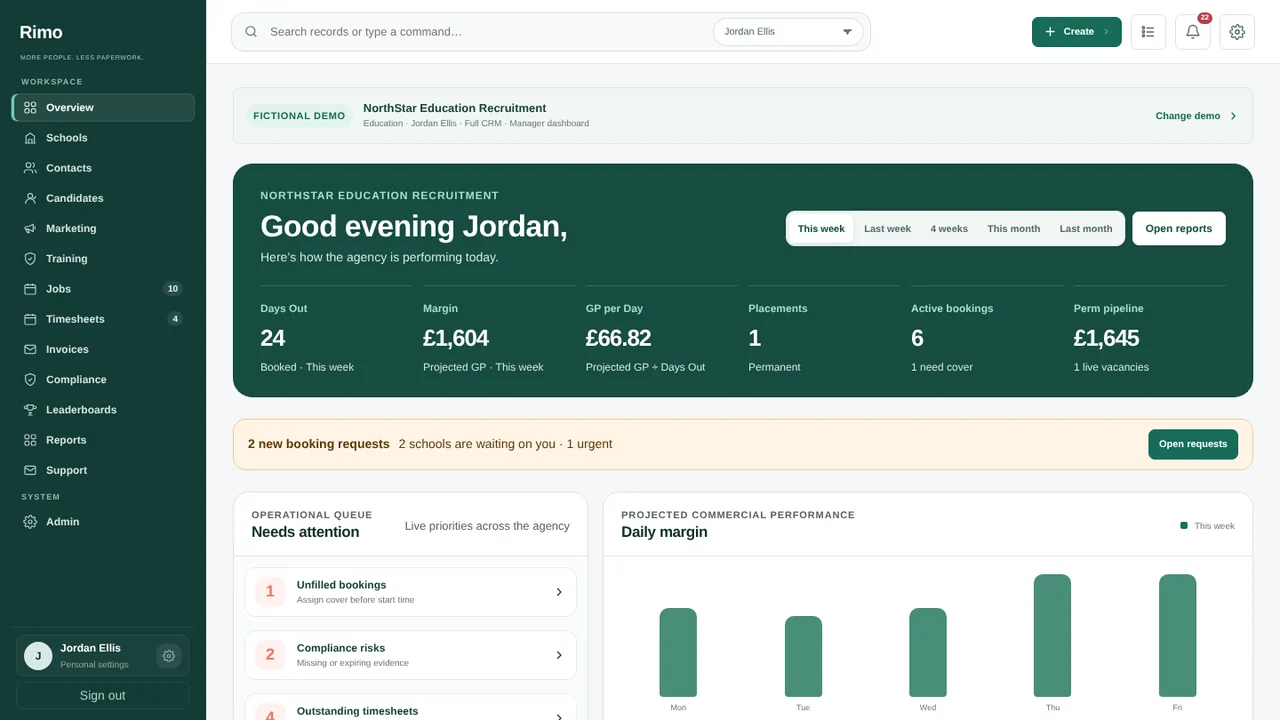
Product view · fictional demonstration data
Product view · fictional demonstration data
Meet the new Rimo
Our new name, Rimo, comes with a calmer, clearer design across the CRM, the portals and every email.
Every screen has been redesigned around the day’s work, with the same records and permissions you already use.
Candidate and Client Portals share the new design and work comfortably on a phone.
Emails to Candidates, Clients and referees carry your agency’s own brand, logo and colours.
Product view · fictional demonstration data
Compliance, grouped by what needs doing
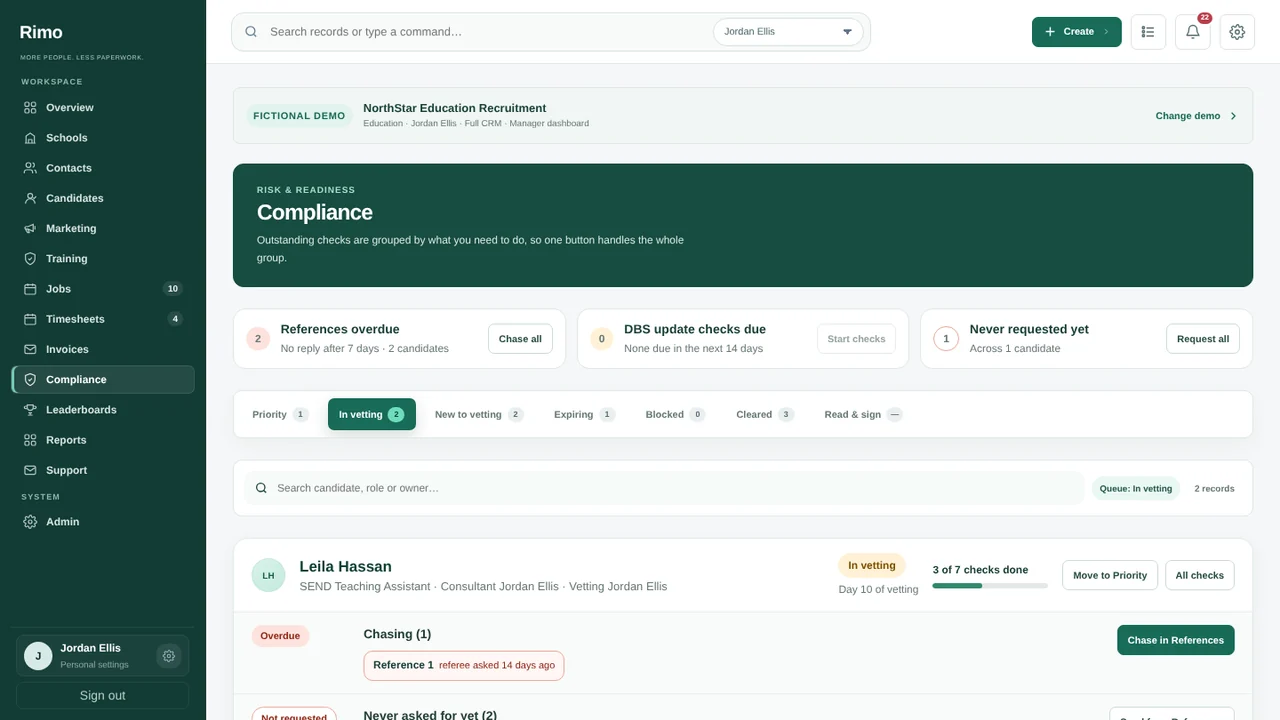
Outstanding checks are grouped by the action they need, so one button handles the whole group.
Each Candidate’s checks are sorted into Needs sorting, Chasing, Waiting for you to check, Never asked for yet, Asked but not back yet and Recheck due, with one action per group and a count of checks done.
Chase all, Request all and DBS Update Service checks sit at the top of Compliance. DBS Update Service results are recorded as No change, Changed or Not found; a change sends the check back to review.
Priority brings forward Candidates with conditional bookings or checks expiring before booked work, and you can still move anyone to Priority by hand.
Product view · fictional demonstration data
References that follow themselves up
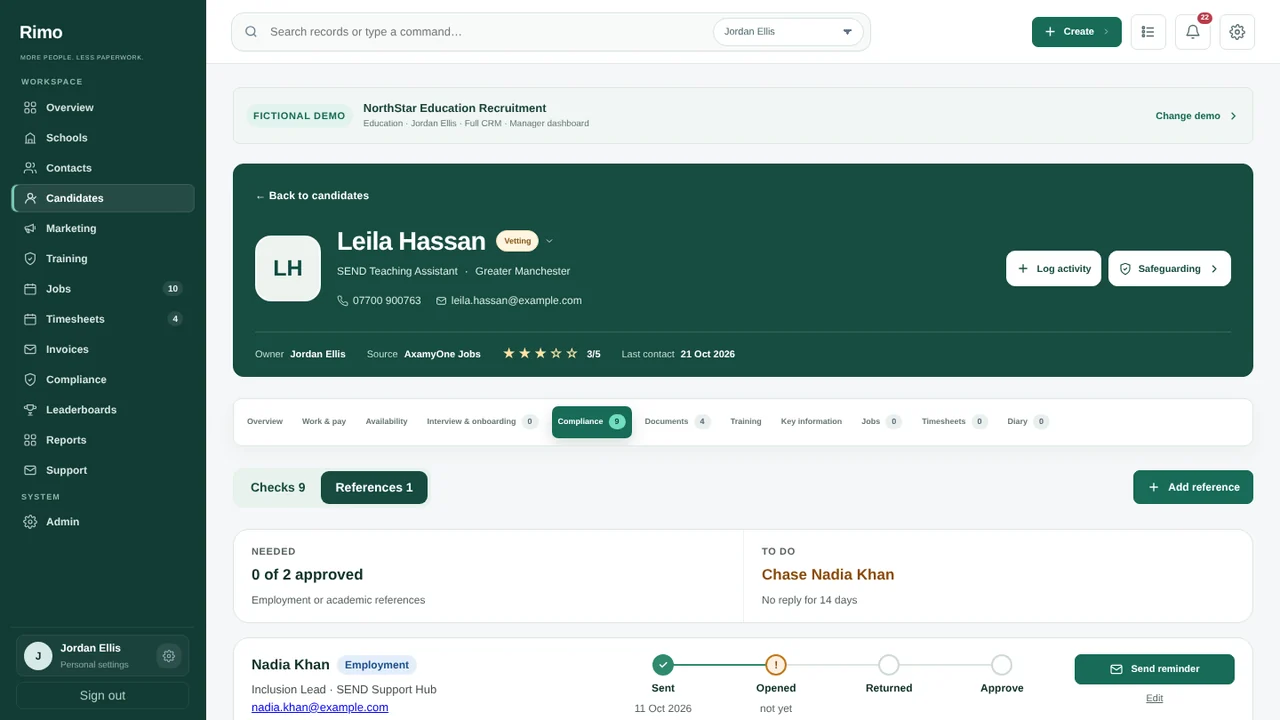
Send reference requests to referees, see who has replied, and chase the rest together.
Referees get a secure reference form by email, and completed references come straight back to the Candidate’s record.
References with no reply are flagged as overdue after seven days (or the number of days your agency sets) and can be chased in one go.
The reference rules are built in: anyone who has worked or studied in the reference period needs two references; otherwise a character reference covers it.
Product view · fictional demonstration data
Availability at a glance
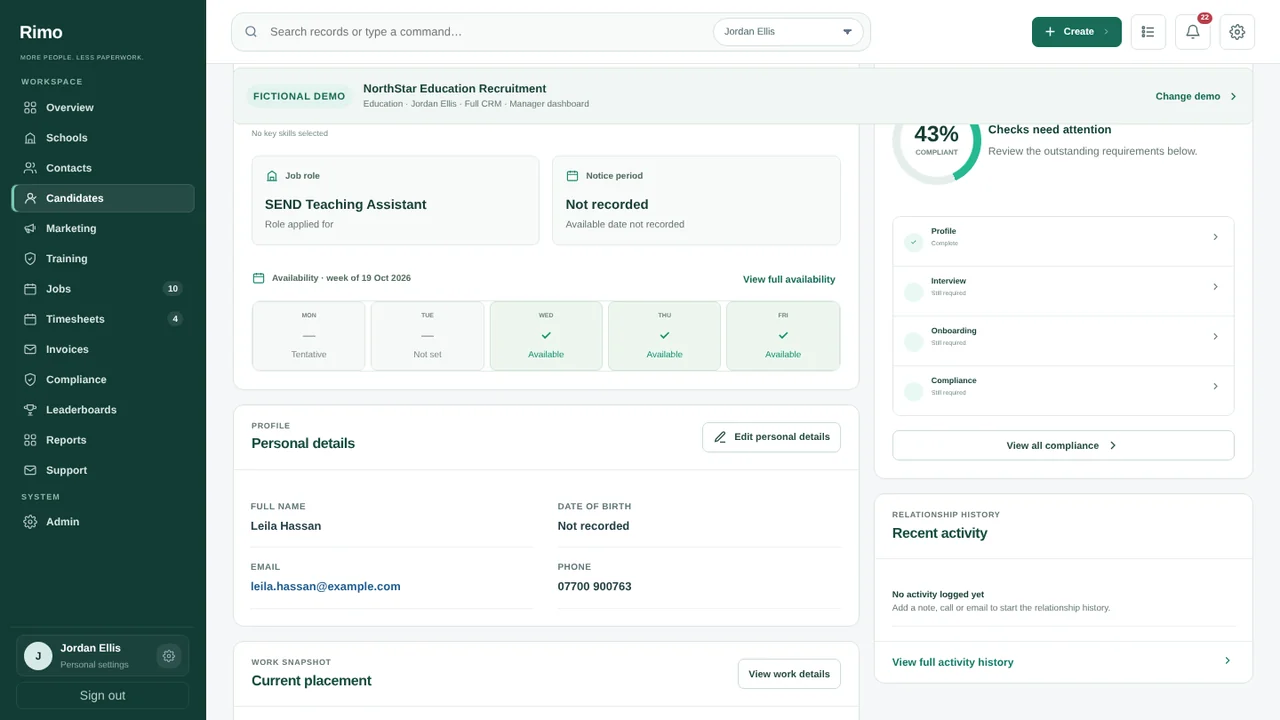
See when Candidates are free without opening a calendar.
Each Candidate’s overview shows their week of availability, updated from the Candidate Portal.
Filter Candidates by who is available today or on a chosen date, alongside your other filters.
Product view · fictional demonstration data
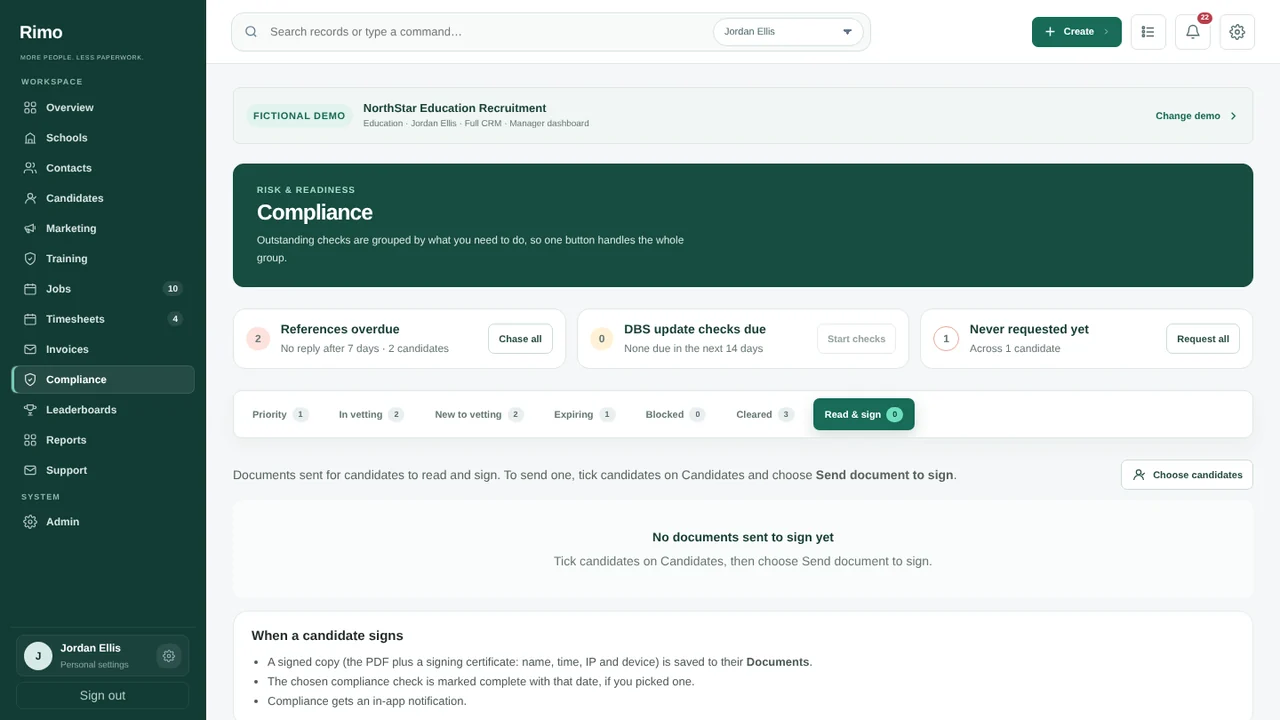
Read & sign in the portal
Send a document to Candidates to read and sign in their portal, and see who has signed.
Choose the PDF, the Candidates and a sign-by date; each Candidate reads and signs in their Candidate Portal.
Track signed, waiting and problem counts for every request, and file the signed copy against a Compliance check.
Product view · fictional demonstration data
Your week in one view, and help in one click
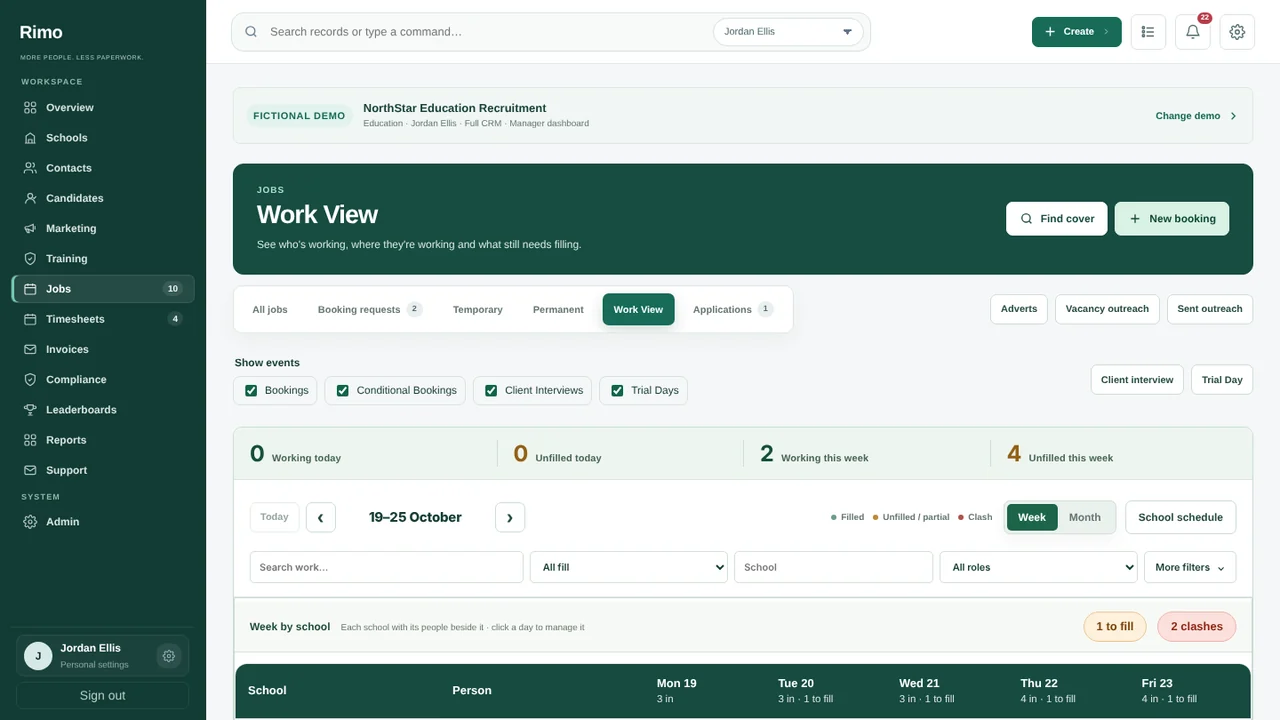
Work View lays out bookings across the week, and Support puts the Rimo team inside the CRM.
Work View shows who is working where across the week, so gaps and changes stand out.
Raise a Support ticket from inside Rimo and follow the conversation in the same place.