
The next shift
needs the right context.
Keep clinician records, requirements, availability and client conversations connected in your healthcare recruitment CRM.
- Compliance-first
- Shift-ready records
- Provider visibility
Real interface. Fictional example. Your setup is agreed with you.
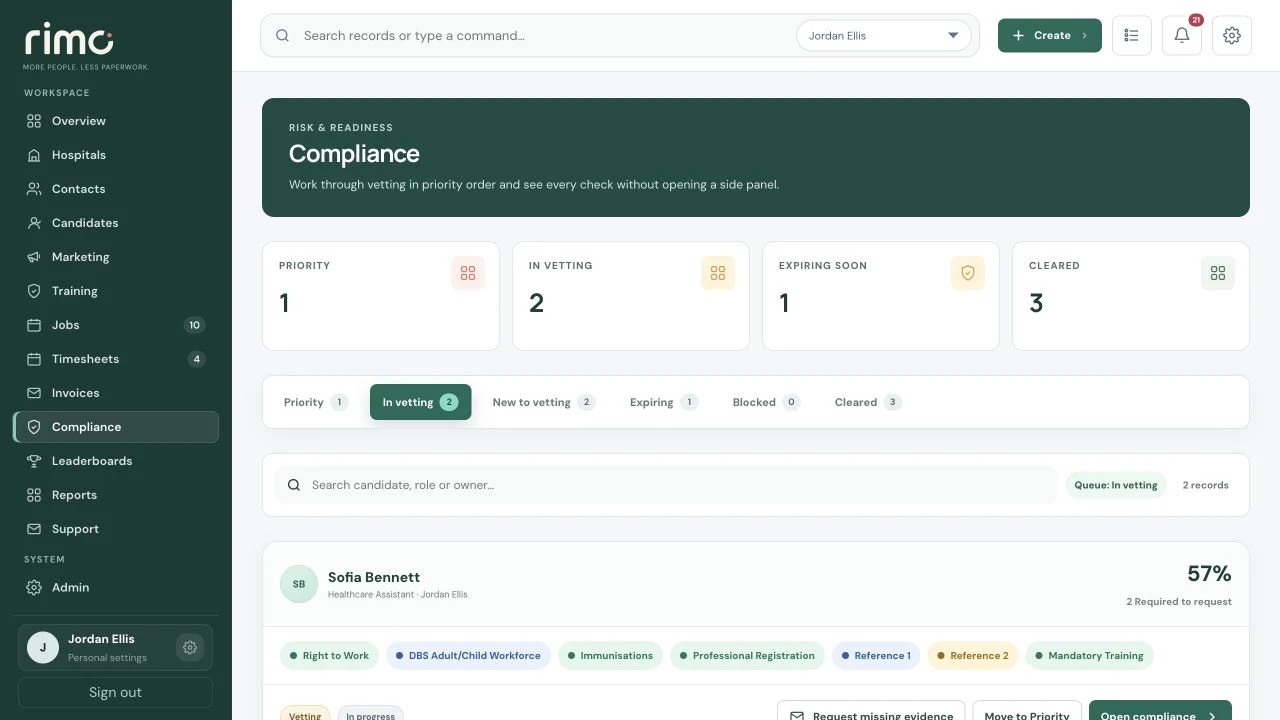
Product view · fictional demonstration data
The documents matter.
So does what happens next.
Keep the checks, evidence, notes and review dates configured for your agency visible to the people responsible for filling work.
- Identity & eligibility
- Right-to-work evidence, identity records and the dates your process requires.
- Role requirements
- Professional registration, training or qualifications where configured for the worker’s role.
- References
- Requests, responses and supporting evidence connected to the candidate.
- Ongoing review
- Expiry dates, internal reviews and compliance queues help prevent stale records.
- Placement context
- Consultants see readiness while compliance teams retain the review workflow.
The shift starts before the diary entry.
Provider, worker and commercial records move together rather than being reconciled afterwards.
- 01
The requirement
Provider contacts, role requirements, dates and working hours.
Provider → Shift - 02
The right worker
Consider role, availability and compliance before confirming the booking.
Suitable workers → Readiness → Booking - 03
The commercial record
Keep submitted time, client approval and billing evidence linked.
Timesheet → Approval → Invoice
Next shift?
Start with what you know.
Store provider contacts, notes, rates, activity and booking history around the relationship, so the next requirement starts with context.
- Provider and service records
- Contacts and communication
- Role requirements
- Rates and working hours
- Booking and placement history
- Timesheet approvals and invoice records
- Consultant ownership
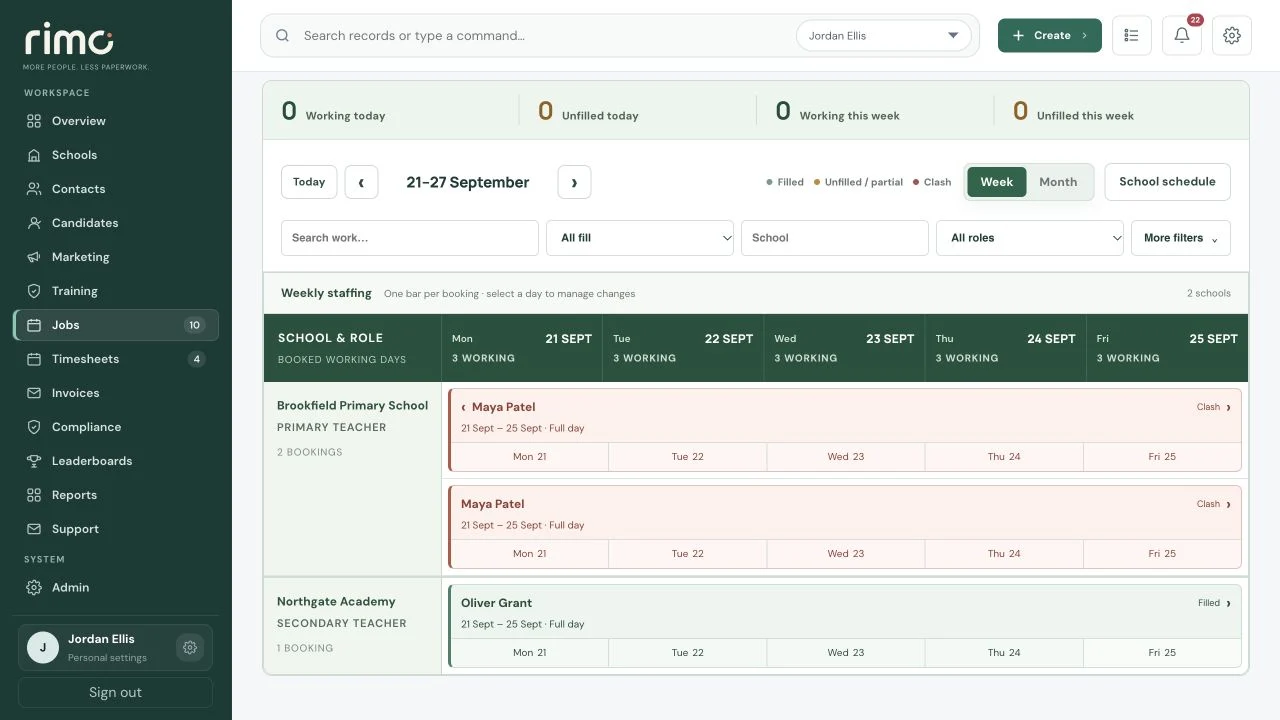
Product view · fictional demonstration data
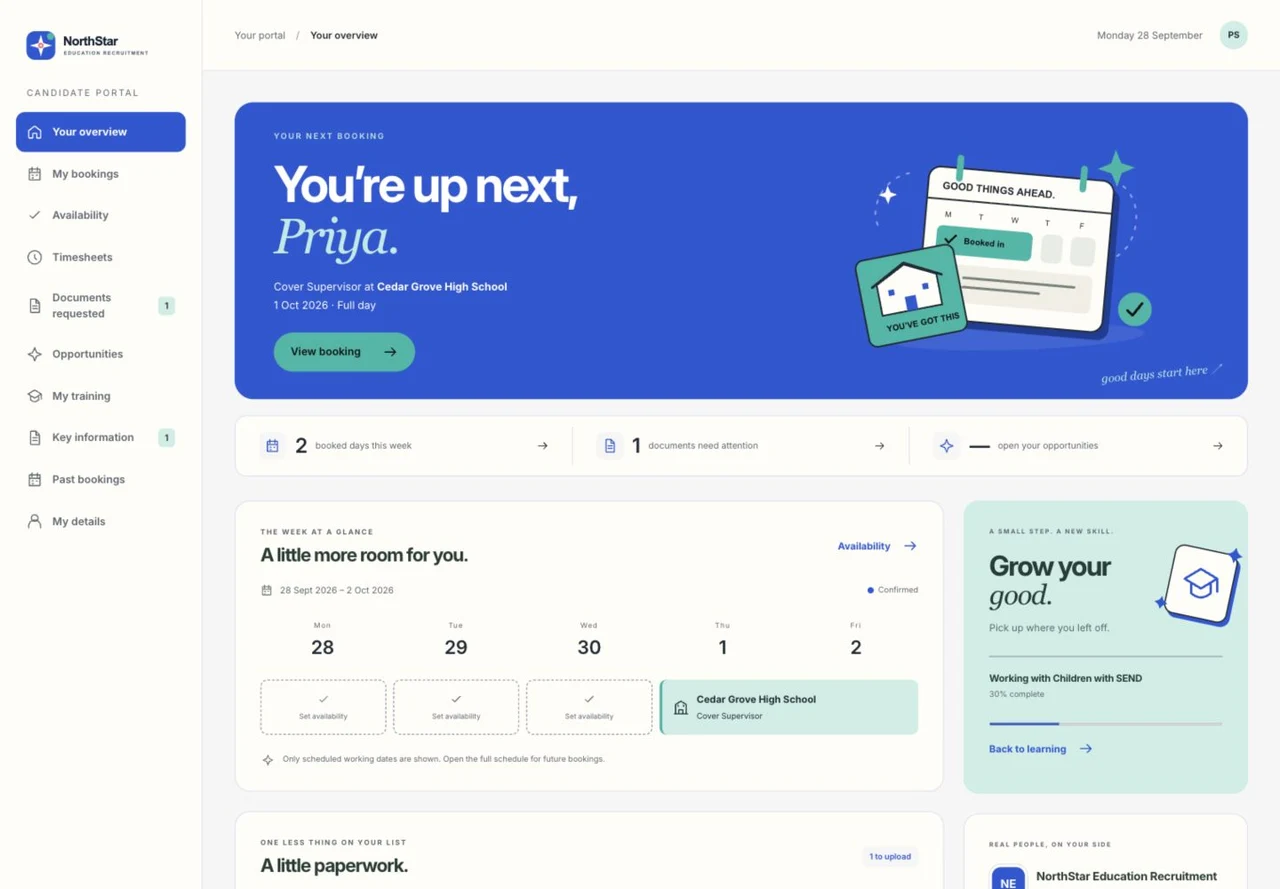
Product view · fictional demonstration data
Less chasing.
A clearer next action.
Onboarding, document submission, booking visibility and timesheet entry in a branded portal.
Submit staff requirements and approve timesheets without breaking the agency workflow.
Connected invoice status, margin and KPI reporting from the same operational records.
Plan the shift.
Keep the clearance decision.
Priority brings manual attention, upcoming work and relevant expiries together. Conditional Bookings can plan future work, but do not bypass clearance before the worker starts.
Explore readiness controlsConnected communication.
Commercial context.
Invite selected Candidates to respond to an opportunity through vacancy outreach. Keep timed follow-up Tasks with the responsible consultant’s connected Outlook Calendar.
Applicable PAYE Bookings use company-wide employer-cost estimates and snapshotted margin. Export approved gross pay for your payroll process; Rimo does not run statutory payroll.
Explore finance and payroll-ready dataTalk us through a shift.
Show us the requirements, the people and your review process.