
Right trades.
Right site.
Less back-and-forth.
Construction recruitment CRM for worker credentials, site relationships and assignments. See the context before agreeing the work.
- Temporary assignments
- Permanent placements
- Location matching
Real interface. Fictional example. Your setup is agreed with you.
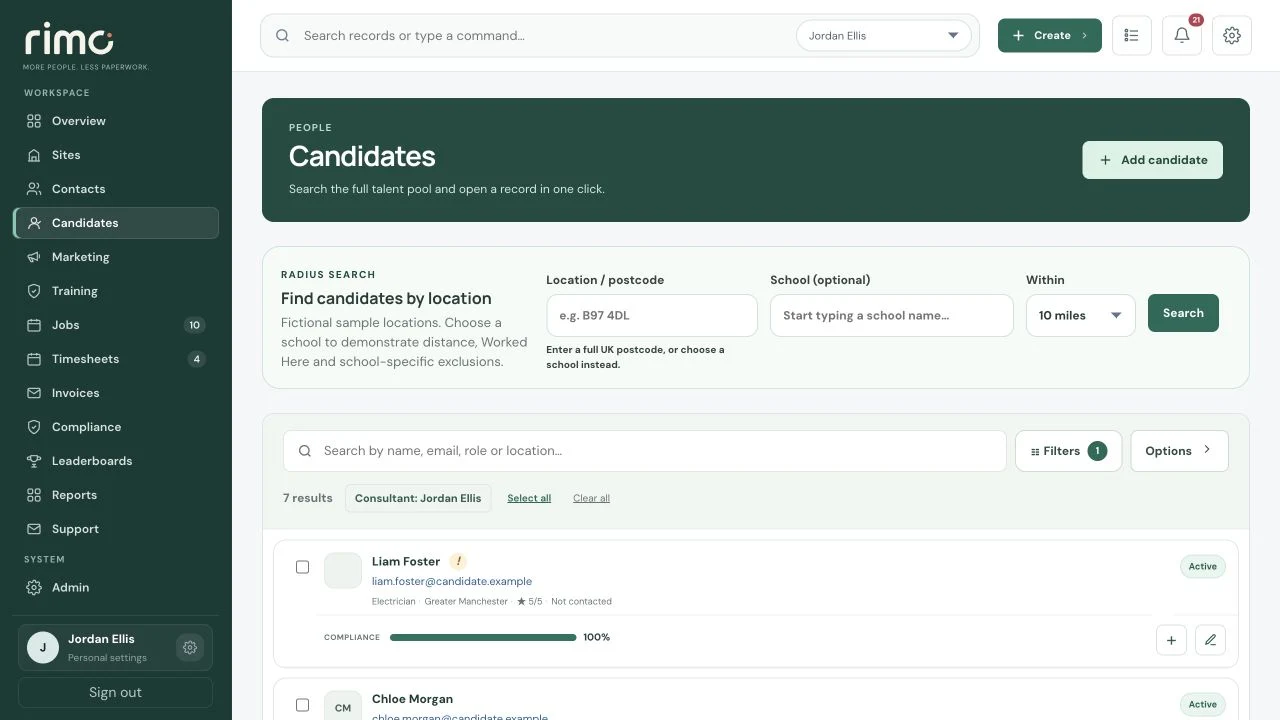
Product view · fictional demonstration data
A site needs people.
Start with the right questions.
Consider role, location, availability and compliance together, then carry the assignment through to billing.
- 01
Define the work
Start with the client, project and trade or skill needed on site.
Site requirement → Trade or skill - 02
Check suitability
Review location, available workers and configured tickets.
Location → Availability → Tickets - 03
Keep the work connected
Working dates and hours stay linked to submitted time, approval and margin.
Assignment → Timesheet → Invoice
Find the trade.
Keep the context.
Review worker location, role preferences, availability and credentials alongside the site requirement. The currently illustrated radius and Worked Here features are School-specific; your construction configuration is agreed during implementation.
- Site or client postcode
- Location preferences
- Role filtering and candidate rating
- Active-worker status
- Profile preview
- Directions link and booking hand-off
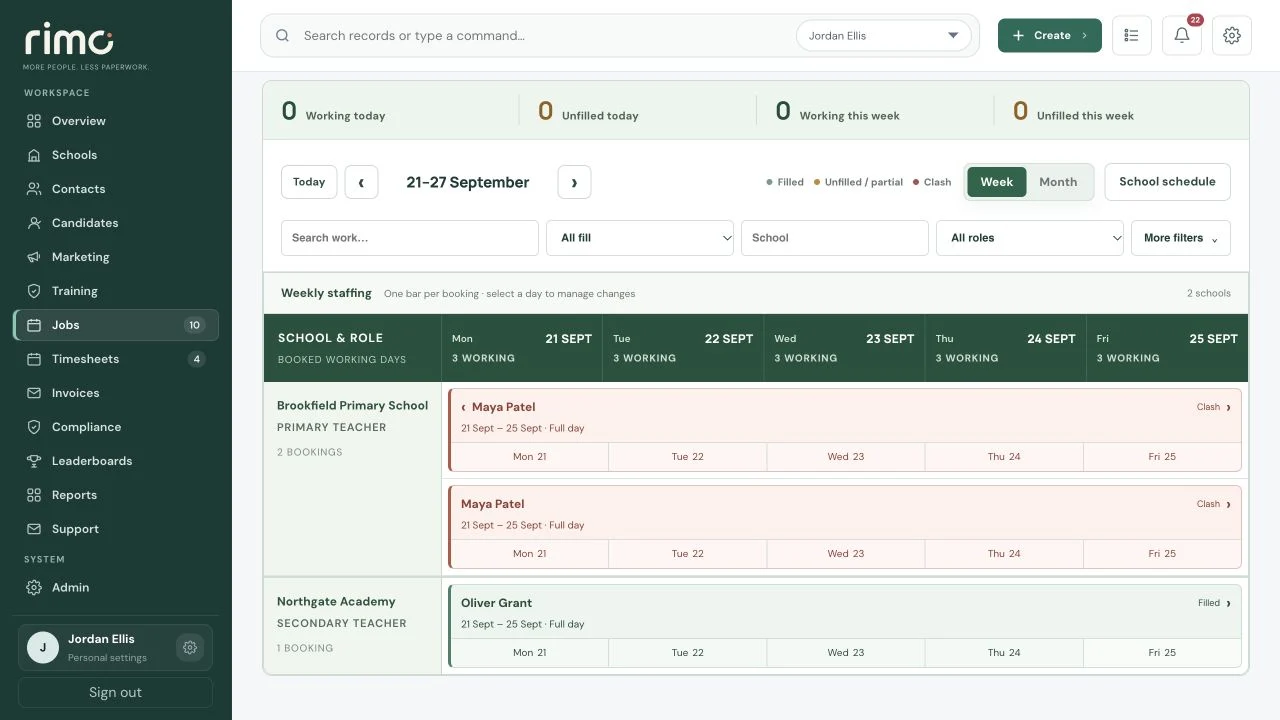
Product view · fictional demonstration data
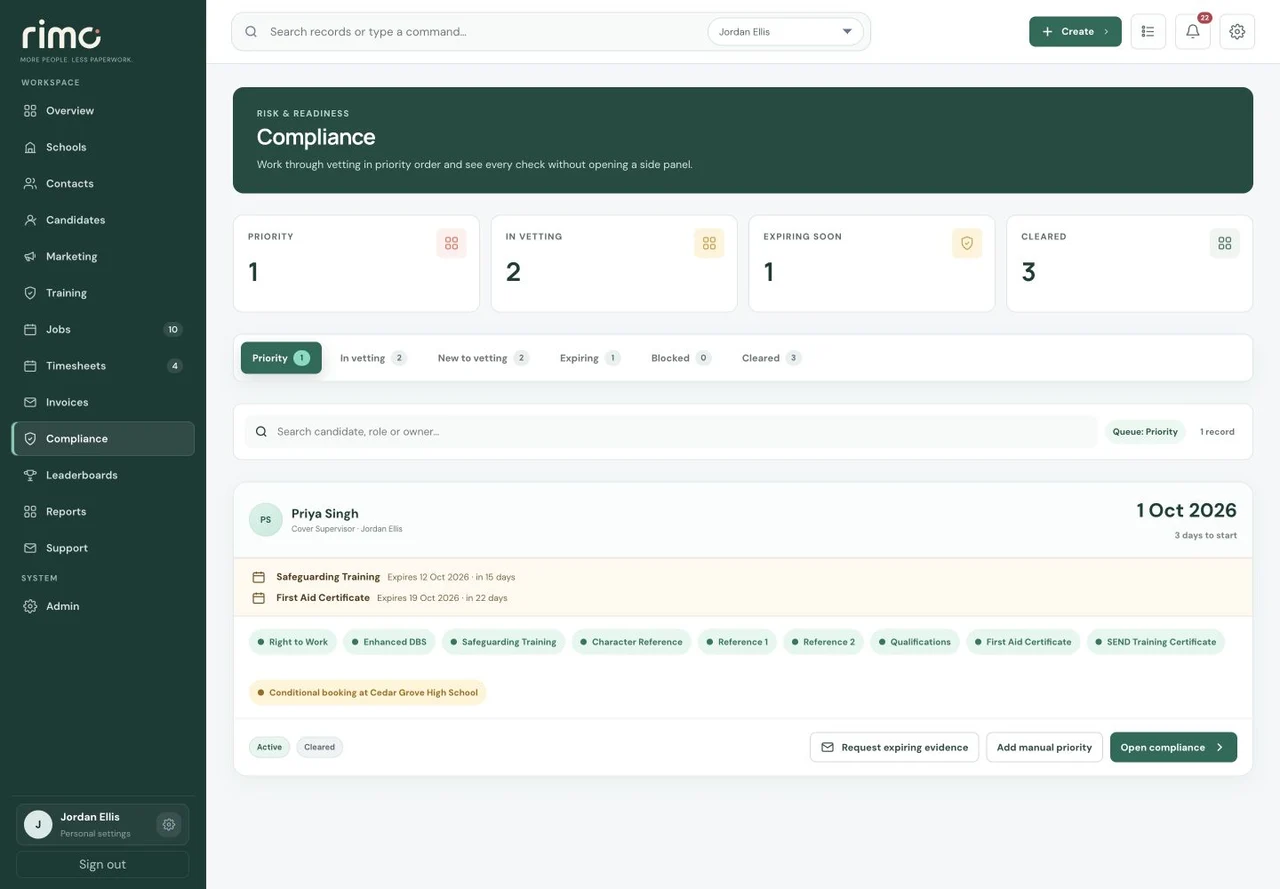
Product view · fictional demonstration data
Which ticket?
For which site?
Different roles and clients may need different evidence. Define your compliance model and review records before workers are used.
- CSCS where configured and trade tickets
- Right to work and references
- Site-specific requirements
- Issue, completed and expiry dates
- Internal compliance notes
- Candidate restrictions
On site.
Still on your radar.
Temporary and permanent work share one agency platform while retaining the right workflow for each desk.
Working dates, hourly or daily rates, start and finish times, consultant ownership and candidate assignment.
Workers submit time. Clients approve it. Finance retains linked invoice evidence, payment status and credit-note records.
Margin, placements, KPIs and consultant activity without rebuilding the operational picture in spreadsheets.
Book ahead.
Don’t skip the checks.
Priority highlights upcoming work and relevant document expiry. Future Conditional Bookings preserve the plan without authorising an uncleared worker to start.
Send selected Candidates an opportunity by vacancy outreach, then see their interest in the CRM without requesting another CV.
Explore Candidate outreachUnderstand the assignment.
Not just the charge rate.
For applicable PAYE arrangements, company-configured employer-cost estimates show employment cost, Gross Profit and Gross Margin. Agreed Booking snapshots preserve the percentages used.
Approved Timesheet gross pay is available as a weekly payroll-ready export. Your payroll process remains responsible for statutory calculations.
Explore Booking profitabilityTell us about the site.
The trades you place. The credentials you check. The work you agree.