Skip to content
HomeIndustriesEducation
Education recruitment CRM

Before the school bell.
Get the week in view.

Education recruitment CRM for School relationships, Candidate readiness and the supply week. Keep safeguarding responsibilities clear.

  • Daily + long-term supply
  • Education compliance
  • Branded portals
A look inside the product

Real interface. Fictional example. Your setup is agreed with you.

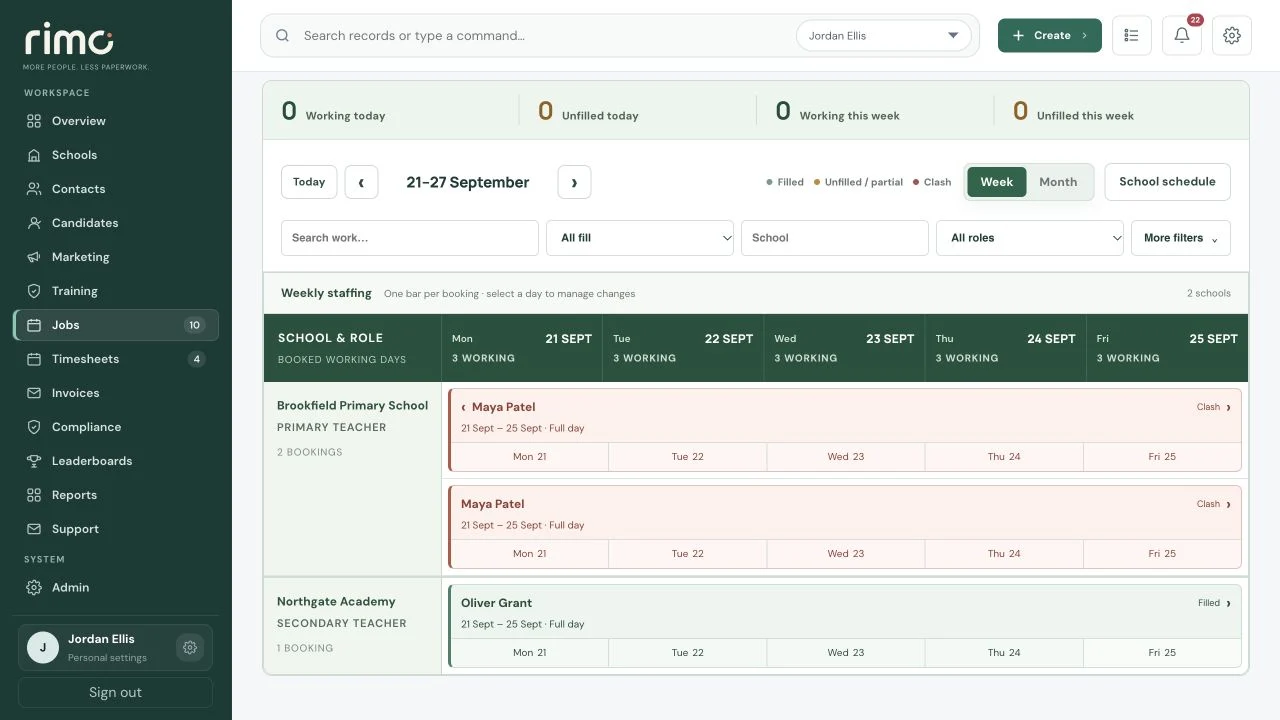
The working week
The working week in the Rimo CRM, with fictional demonstration data

Product view · fictional demonstration data

The connected supply desk

The School’s on the phone.
Find the context.

Keep the school, candidate and booking linked through every hand-off, from the 7am rush to the approved timesheet.

  1. 01

    Understand the requirement

    Capture the school, role, dates and working times in one booking.

    School calls → Booking
  2. 02

    Find the right person

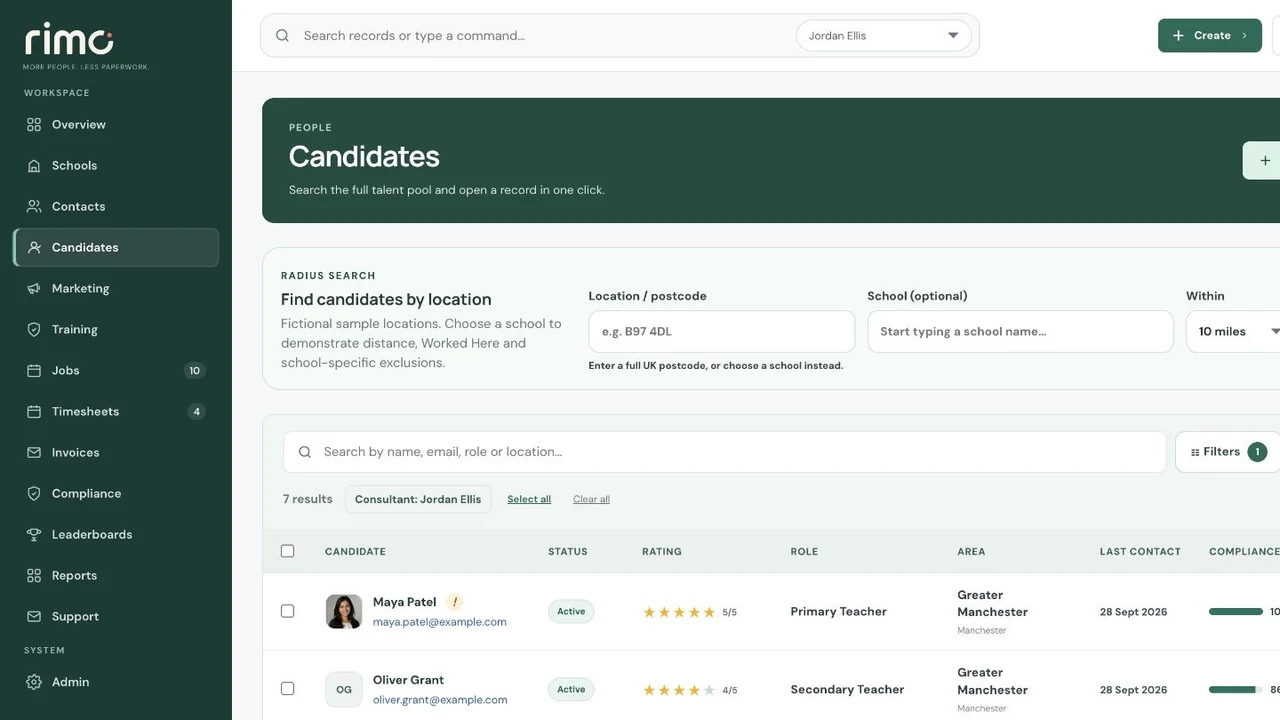
    Search within 1–30 miles of the selected School, combine Candidate filters and see nearest distance and Worked Here history alongside readiness.

    Find candidates → Check readiness → Confirm
  3. 03

    Close the loop

    The worker submits hours or days, the school approves and the invoice retains the evidence.

    Timesheet → Approval → Invoice
School relationships

Know the School.
Remember the relationship.

Keep the people, requirements and completed work history your consultants need around one School workspace. School-specific Do Not Use controls keep a restricted Candidate out of that School’s searches and booking selection without affecting other Schools.

  • Contacts and decision-makers
  • Booking history and requirements
  • Rates and working times
  • Preferred candidates
  • Restrictions and warnings
  • Timesheet approvals, invoices and activity
Candidate search, with School context
Candidate search, with School context in the Rimo CRM, with fictional demonstration data

Product view · fictional demonstration data

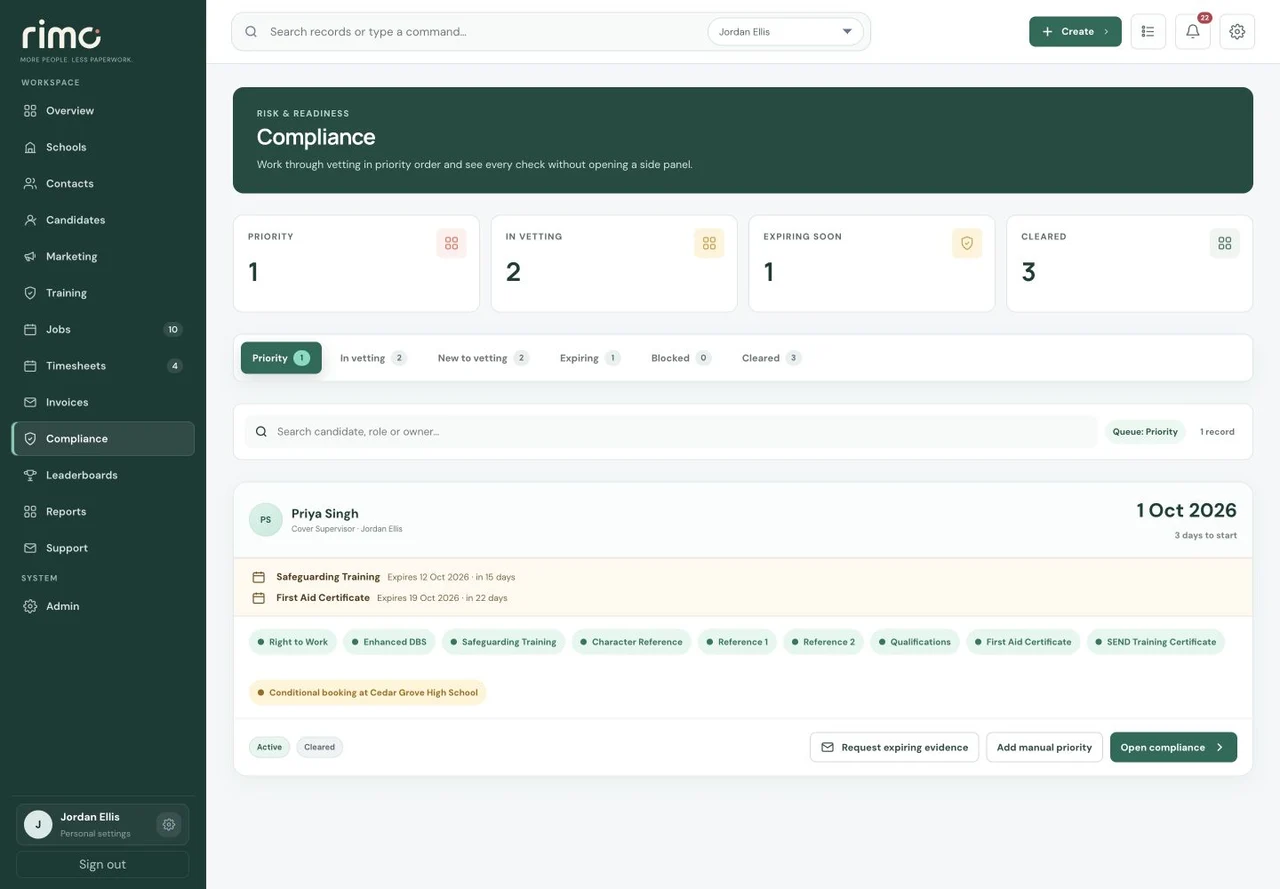
Compliance Priority
Compliance Priority in the Rimo CRM, with fictional demonstration data

Product view · fictional demonstration data

Safeguarding in context

Ready for Monday?
Check the detail.

Configure Required, Optional and Internal checks around your agency. Priority brings upcoming work and relevant expiries into focus. A future Conditional Booking holds the plan, not permission to work: the Candidate must be cleared before work begins.

  • DBS and right to work
  • References and safeguarding
  • Qualifications and teacher status
  • Issue and completed dates
  • Expiry and annual reviews
Review platform security
More than a booking desk

A School schedule.
Not a chain of messages.

From a first conversation to a long-term role, keep the people, appointments and work in context. Use the stages that suit the requirement.

One school.
One useful weekly plan.

Choose the School and week to produce a branded School-facing staffing PDF. Confirmed, Conditional and unfilled positions stay distinct; Trial Days are labelled. No internal finance, Compliance or private data is shared.

Explore School schedules
Rimo Training · Education CPD

Safeguarding comes first.
Candidate development goes further.

Bring Safeguarding & Prevent Training, Allergy Awareness, Cover Supervisor and Behaviour Management alongside Working with Children with SEND and introductory Teaching Assistant CPD. Invite from a Candidate profile or the Training hub and follow progress in one place.

Mobile-friendly narrated lessons, assessments and four-day reminders keep the journey clear. Candidates can find their invited courses and certificates in their candidate portal.

Safeguarding & Prevent and Allergy Awareness certificates have a twelve-calendar-month expiry. SEND, Teaching Assistant, Cover Supervisor and Behaviour Management certificates have no automatic expiry. Configurable Compliance mapping supports your review process.

Flagship course · Safeguarding & Prevent Training

Learning that connects
to your compliance workflow.

Learn
An introduction and twelve narrated lessons
Assess
100% required at every scored stage, including the final assessment
Record
The PDF certificate saves to the candidate’s Safeguarding Training compliance check, with a twelve-calendar-month expiry

The responsible team member receives completion alerts by email and in-app notification. These are in-house course-completion certificates, not external accreditation or automatic clearance. Other checks remain separate.

A shared workflow, wherever you work

Their next step.
In their portal.

01 / Candidates

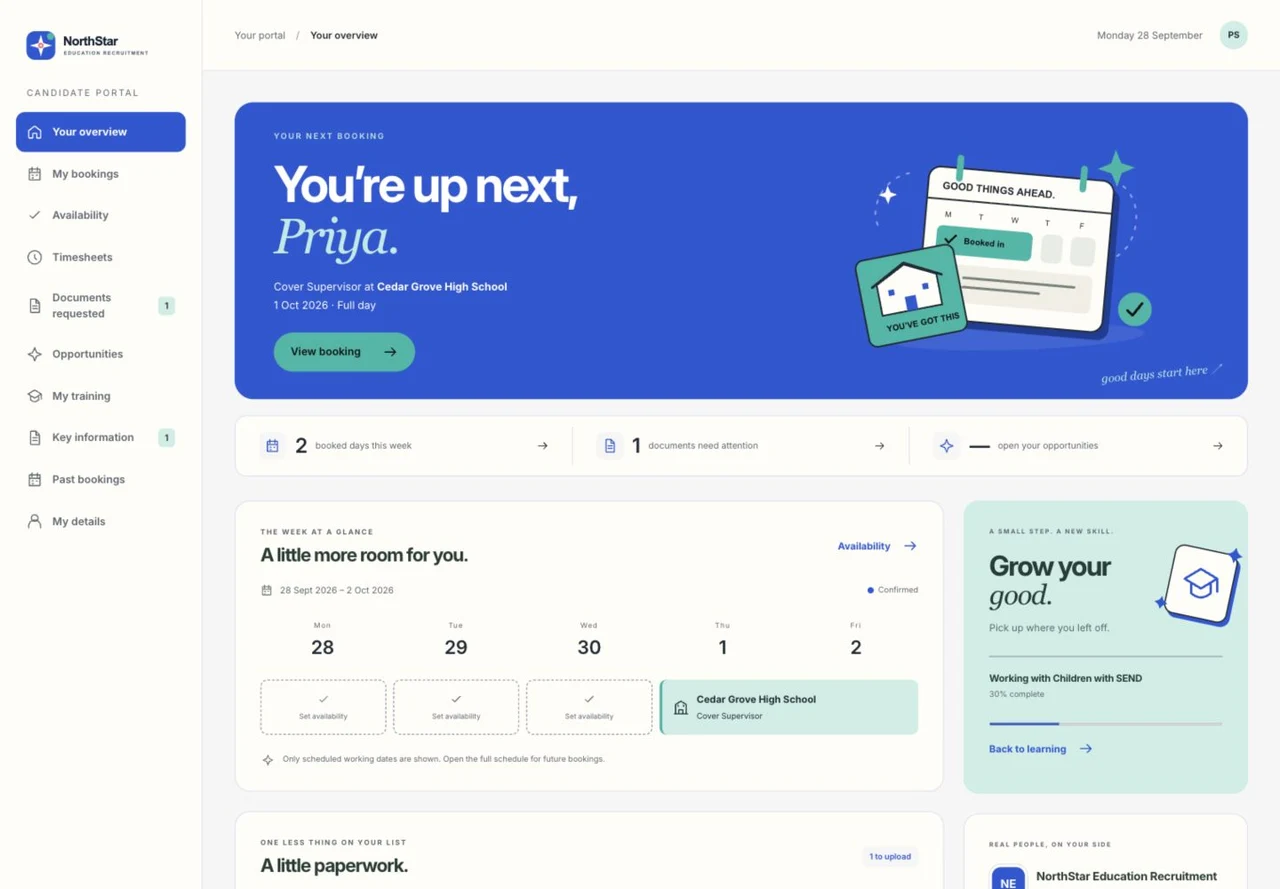
Registration, documents, references, availability, learning and Timesheets in one branded portal. Vacancy outreach lets a Candidate choose “I’m interested” without another CV; the response returns to the consultant in the CRM and by email.

02 / Schools

Request staff and approve Timesheets. Your agency can share a School-specific weekly staffing PDF, with no internal finance, Compliance or private information.

03 / Directors

See Days Out, GP per Day, Booking profitability and team performance. Company-wide PAYE cost estimates are snapshotted to Bookings; approved gross pay can be exported for payroll. Rimo is not a statutory payroll engine.

Candidate Portal
Candidate Portal in the Rimo CRM, with fictional demonstration data

Product view · fictional demonstration data

Your day. In Rimo.

Bring the supply week.

School relationships, readiness and the work that needs covering.

Book a personalised demo

Product screenshot

Current product · fictional demonstration data. Zoom or scroll to inspect.